WordPress Website Development
Tailored for Your Business
We create fast, secure, and SEO-friendly WordPress websites. From theme customization to fully custom solutions, we deliver websites that drive growth and engagement.
Starter WordPress
Modern WordPress design, responsive layout, and essential SEO setup.
Order NowProfessional WordPress
Custom homepage, optimized performance, advanced plugins, and on-page SEO.
Order NowPremium Custom
Fully custom WordPress development, admin panel, eCommerce & advanced integrations.
Order NowWordPress website development is the process of planning, building, customizing, and maintaining a website using WordPress. It can be as simple as launching a small business site with a theme, or as advanced as creating a custom-coded, high-performance platform with custom plugins, integrations, and security hardening.
This guide is designed to be easy to understand, skimmable, and more useful than typical competitor pages by adding what most articles miss: practical decision-making, real-world timelines, cost breakdowns, checklists, and the exact steps to build a WordPress site the right way.
What Is WordPress Website Development?
WordPress website development means building a website using WordPress as your content management system (CMS). It includes:
- Planning (goals, pages, content, SEO)
- Design (theme, layout, branding, UX)
- Development (setup, plugins, custom features, performance)
- Launch (testing, security, speed, indexing)
- Maintenance (updates, backups, monitoring, improvements)
WordPress development can be no-code, low-code, or fully custom code, depending on your needs.
Who Is This Guide For?
If you’re any of these, you’re in the right place:
- Business owners launching a website that should bring leads/sales
- Beginners who want a clear step-by-step plan
- Marketers who need SEO-friendly WordPress structure
- Anyone comparing DIY vs hiring a WordPress developer or agency
Why WordPress for Website Development?
WordPress is popular because it offers a rare mix of control + flexibility + scalability.
Key advantages
- Ownership: You control your site, content, and hosting
- Scalability: Works for small sites and large publishers
- Customization: Themes + plugins + custom code options
- SEO-friendly: Clean structure, strong plugin support
- Ecosystem: Huge community and talent pool
WordPress.org vs WordPress.com
Most business websites use WordPress.org (self-hosted WordPress).
- WordPress.org: You install WordPress on your own hosting → full control
- WordPress.com: Hosted platform → simpler but more restricted (especially on lower plans)
If you’re serious about SEO, customization, and long-term growth, choose WordPress.org.
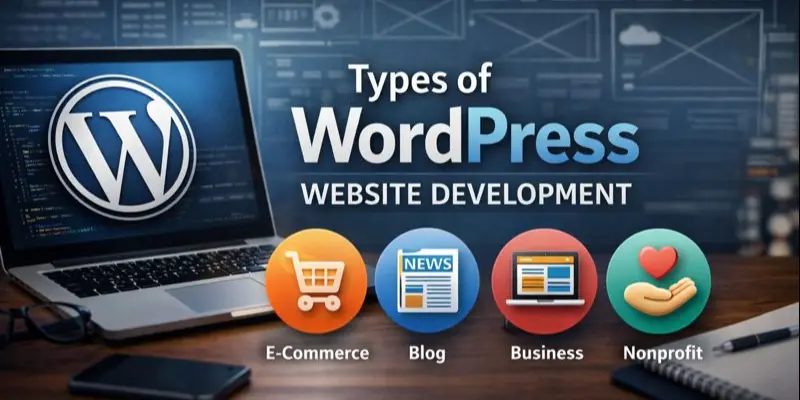
Types of WordPress Website Development
1) No-code WordPress development
- Best for: personal sites, simple business sites, fast launches
- How it’s built: theme + page builder + plugins
2) Low-code WordPress development
- Best for: growing businesses, custom layouts, better performance
- How it’s built: theme + child theme + minor CSS/PHP tweaks + selective plugins
3) Custom WordPress development
- Best for: unique design, advanced features, high traffic, strict performance needs
- How it’s built: custom theme + custom plugins + integrations + optimized hosting
WordPress Website Development Options
Here’s a simple decision table most competitors don’t include:
| Goal | Best Option | Why |
|---|---|---|
| Launch fast on a budget | Theme + plugin setup | Speed and simplicity |
| Improve design without custom coding | Page builder + lightweight theme | Visual control |
| Rank in Google and load fast | Performance theme + clean plugins | SEO + speed |
| Unique layout + brand experience | Custom theme development | Full design control |
| Membership, LMS, marketplace | Custom + strong plugin architecture | Complex features |
| Enterprise / high traffic | Managed hosting + custom build | Stability and scaling |
Step-by-Step WordPress Website Development Process
Step 1: Plan your site like a pro
Before you touch WordPress, define:
- Primary goal: leads, sales, bookings, newsletter, portfolio?
- Target audience: who are you trying to convert?
- Site structure: pages you need (not pages you “might” need)
Basic site structure (good for most businesses):
- Home
- About
- Services (or Products)
- Portfolio/Case Studies
- Blog
- Contact
- Privacy Policy + Terms
Pro tip: Your site structure affects SEO. Don’t create 30 weak pages—build fewer pages with stronger content.
Step 2: Get a domain + hosting that won’t slow you down
Hosting quality heavily impacts speed, security, and SEO.
Hosting types (simple explanation):
- Shared hosting: Cheapest, slower, best for small sites
- Managed WordPress hosting: Faster, safer, easier maintenance
- VPS/Cloud hosting: More control, best for advanced sites
If your site is for business, managed WordPress hosting is usually the best mix of speed and support.
Step 3: Install WordPress and lock down basics
After installing WordPress, set these immediately:
- Change default login URL (optional but helpful)
- Set strong admin password + 2FA
- Update permalinks to: /%postname%/
- Set site title and tagline properly
- Remove unused themes/plugins
Step 4: Choose the right theme
A theme controls your layout and styling. A bad theme causes:
- slow performance
- messy code
- SEO problems
- poor mobile experience
What to look for in a WordPress theme:
- mobile responsive
- lightweight and fast
- good reviews and active updates
- compatible with Gutenberg or your builder
- accessibility-friendly
Avoid: themes that rely on too many bundled features you don’t need.
Step 5: Build pages with a conversion-focused layout
A beautiful website that doesn’t convert is expensive decoration.
High-converting homepage sections:
- Clear headline (what you do + who you help)
- Benefits (not just features)
- Proof (testimonials, logos, metrics)
- Services summary
- Case studies or portfolio
- CTA repeated 2–4 times (contact / book / buy)
Keep paragraphs short, use headings, and remove fluff.
Step 6: Install only essential plugins
Competitors often list giant plugin libraries. The better approach is: install only what you need.
Core plugin categories (recommended)
- SEO: Rank Math or Yoast
- Caching/performance: LiteSpeed Cache (if supported) or a quality cache plugin
- Security: Wordfence or Solid Security
- Backups: UpdraftPlus or a host-based backup system
- Forms: WPForms / Forminator
- Analytics: Site Kit or lightweight analytics integration
- Spam protection: Akismet (if you use comments/forms)
Rule: If two plugins do the same thing, delete one.
Step 7: Optimize WordPress for SEO
To make WordPress development SEO-friendly:
On-page SEO essentials
- One primary keyword per page
- Use keyword variations naturally (semantic SEO)
- Use clean headings (H1, H2, H3)
- Add internal links (service → case study → contact)
- Write strong meta titles and descriptions
- Add image alt text (accurate, not spammy)
Technical SEO essentials
- Fast loading (Core Web Vitals matter)
- Mobile-first design
- Proper indexing setup
- XML sitemap enabled
- Structured data (SEO plugin can help)
Step 8: Speed optimization checklist
Speed directly affects bounce rate, conversions, and SEO.
Quick speed wins:
- Use a lightweight theme
- Compress images (WebP preferred)
- Enable caching
- Minify CSS/JS (carefully)
- Use a CDN if needed
- Limit heavy sliders and animations
- Clean up unused plugins
- Use fewer fonts and font weights
Step 9: Security checklist
WordPress is secure when maintained properly—but outdated plugins are risky.
Security essentials:
- Update WordPress, themes, plugins regularly
- Use 2FA for admin accounts
- Limit login attempts
- Use SSL (HTTPS)
- Set proper user roles
- Daily backups (or at least weekly)
- Malware scanning (plugin or hosting)
Step 10: Pre-launch testing (avoid embarrassing mistakes)
Before going live, test:
- Mobile responsiveness on multiple devices
- Contact forms (all forms!)
- Speed on homepage and key pages
- Broken links
- Page titles and meta descriptions
- Tracking: GA4 or analytics solution
- Cookie banner and privacy policy (if required)
WordPress Website Development Cost
Costs vary wildly based on whether you DIY or hire professionals.
Typical cost ranges
- DIY basic site: $100–$500
- Small business site (semi-pro): $800–$3,000
- Custom WordPress website: $5,000–$15,000+
- E-commerce (WooCommerce): $3,000–$25,000+
What drives WordPress development cost?
- Custom design vs template
- Number of pages and content writing
- Advanced features (booking, membership, LMS, integrations)
- Performance requirements
- E-commerce complexity (products, shipping, payments)
- Ongoing maintenance and support
Monthly/annual ongoing costs
- Hosting: $5–$50+/month (more for high traffic)
- Domain: ~$10–$20/year
- Premium plugins/themes: $50–$500+/year (depending)
- Maintenance: optional, but recommended for business sites
WordPress Website Development Timeline
Most articles skip this, but it matters.
Typical timelines
- Simple site (template-based): 3–7 days
- Business site (customized theme + content): 2–4 weeks
- Custom build (design + dev + testing): 6–12 weeks
- E-commerce or membership site: 8–16+ weeks
Time usually increases because of:
- delayed content delivery
- unclear requirements
- too many revision rounds
- complex integrations
Common WordPress Development Mistakes to Avoid
These issues hurt rankings and conversions:
- Installing too many plugins (slow + conflicts)
- Choosing a “heavy” theme (bad performance)
- Ignoring mobile design
- Skipping backups/security
- Writing thin content just to fill pages
- No clear CTA (people don’t know what to do)
- No internal linking strategy
- Not setting up analytics from day one
DIY vs Hiring a WordPress Developer
DIY is great if you:
- have time to learn and test
- need a basic site
- can handle small technical issues
Hire a developer/agency if you:
- need leads/sales fast
- want high performance + SEO structure
- require custom features
- want professional design and strategy
What to ask before hiring
- What’s included in the scope (pages, revisions, SEO setup)?
- Will the site be fast (Core Web Vitals)?
- Who owns the domain, hosting, and admin access?
- What’s your maintenance plan after launch?
- What plugins/themes will you use and why?
What Good WordPress Website Development Looks Like
A well-developed WordPress site should be:
- fast (loads quickly on mobile)
- secure (updates + backups + hardening)
- easy to edit (clean blocks, reusable sections)
- SEO-ready (structure, internal links, metadata)
- conversion-focused (clear CTAs + trust elements)
- scalable (can add features without rebuilding)
FAQ: WordPress Website Development
Yes. WordPress works very well for business websites when you choose quality hosting, a good theme, and a clean plugin setup.
Not always. You can build many sites without code. Coding becomes useful for custom layouts, performance improvements, and advanced features.
If you want more control, better scalability, and a stronger SEO foundation over time, WordPress is often the better long-term choice. Wix/Squarespace can be easier for quick, simple sites.
Start with:
- hosting + WordPress install
- a lightweight theme
- core plugins only
- build 5–7 pages
- optimize SEO + speed
Then improve based on analytics.
Final Takeaway
WordPress website development isn’t just “install WordPress and pick a theme.” The websites that rank and convert are built with a clear plan:
- smart structure
- clean design
- limited plugins
- fast performance
- strong SEO fundamentals
- security + maintenance
If you want, I can also create:
- a featured-snippet-friendly outline for this topic,
- a service page version (built to convert leads),
- or a supporting blog cluster around “wordpress website development” to dominate more keywords.