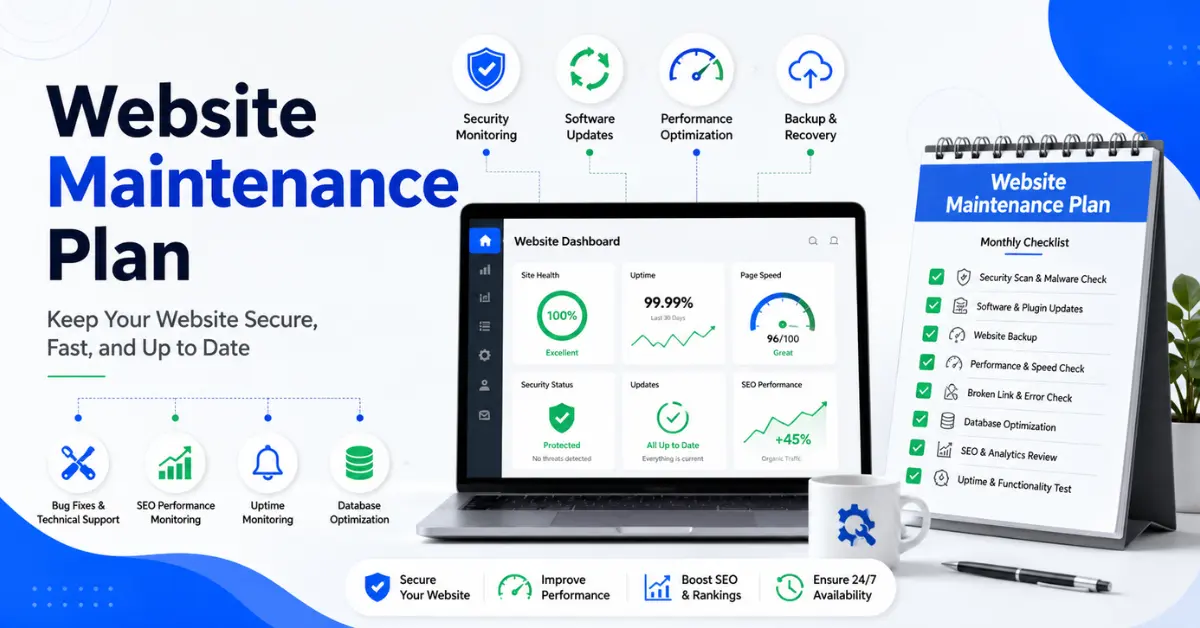
Website Maintenance Plan is essential because a website is not a one-time project—it is a living system that constantly changes. Every update, plugin, visitor interaction, and content change affects its performance, security, and stability.
Without a structured maintenance plan, even a well-built website will eventually slow down, break, get hacked, or lose search rankings.
A website maintenance plan ensures none of that happens.
This guide gives you a complete, practical system used by professional developers and agencies to keep websites fast, secure, and profitable.
What Is a Website Maintenance Plan?
A website maintenance plan is a structured system of recurring tasks designed to keep your website:
- Secure from hackers and malware
- Fast and optimized for performance
- Fully functional across devices
- Updated with the latest software
- Accurate in content and SEO
- Backed up and recoverable at all times
Think of it as a preventive operations system for your website—not repair, but prevention.
Why Website Maintenance Matters
A neglected website doesn’t fail suddenly—it declines slowly in ways that directly hurt revenue.
Without maintenance, you risk:
- Security breaches and hacked websites
- Broken checkout systems or contact forms
- Declining Google rankings
- Slow page speed and high bounce rates
- Lost leads and abandoned carts
- Expired SSL certificates and browser warnings
- Full site crashes with no recovery plan
Even a single issue (like a broken payment button) can silently cost daily revenue.
Core Pillars of Website Maintenance
Every professional maintenance system is built on 5 pillars:
Security
Protects against hackers, malware, and vulnerabilities.
Performance
Ensures fast loading speed and smooth user experience.
Functionality
Keeps forms, checkout, buttons, and features working.
Backups & Recovery
Ensures full restoration after failure or attack.
SEO & Content Health
Keeps content accurate, optimized, and ranking-friendly.
Complete Website Maintenance System
Daily Tasks (For High-Traffic Sites)
- Verify automated backups completed successfully
- Monitor uptime (site availability)
- Review security alerts
- Check form submissions or orders
- Monitor spam and comments
Weekly Tasks
- Run security/malware scans
- Review error logs or warnings
- Check analytics for unusual traffic changes
- Test key pages (home, contact, checkout)
- Review broken UI or layout issues
- Check plugin/theme update availability
Monthly Maintenance Cycle
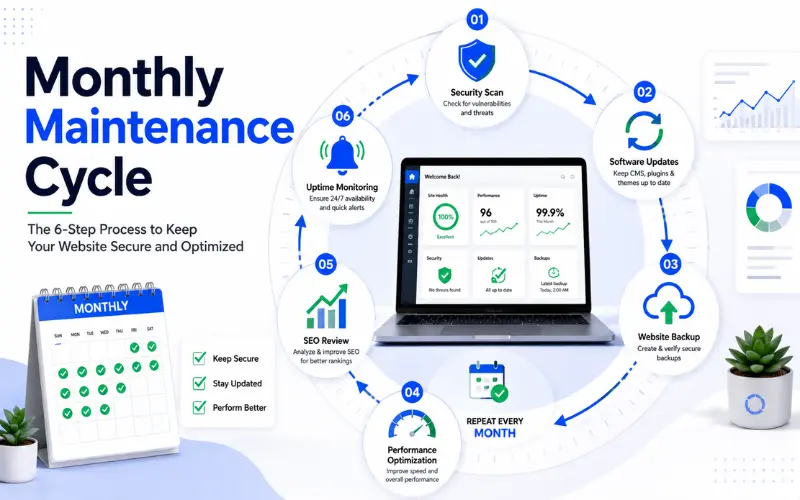
Updates (Critical Step)
- Update WordPress core
- Update plugins
- Update themes
Always test on a staging site first
Performance Optimization
- Run speed tests (PageSpeed Insights / GTmetrix)
- Compress and optimize images
- Clear cache
- Remove unused scripts/plugins
Database Cleanup
- Remove spam comments
- Delete post revisions
- Clean transient data
- Optimize database tables
Functionality Testing
- Test contact forms
- Test checkout/payment system
- Test email delivery
- Test signup/newsletter flows
SEO Health Check
- Fix broken links
- Check indexing issues (Google Search Console)
- Review meta titles and descriptions
- Identify ranking drops
Quarterly Maintenance (Strategic Layer)
- Full content audit (update outdated pages)
- UX review (navigation + usability testing)
- Mobile responsiveness testing
- Accessibility check (WCAG basics)
- Security audit (users, passwords, access roles)
- Restore backup test (critical!)
- Competitor performance comparison
Annual Maintenance (Business Strategy Layer)
- Renew domain, hosting, SSL certificates
- Review website design and branding
- Evaluate hosting performance and scalability
- Update legal pages (privacy policy, terms)
- Full SEO strategy review
- Remove outdated integrations or tools
Website Maintenance Template
| Task | Frequency | Owner | Tool |
|---|---|---|---|
| Backups | Daily | Admin | BlogVault / UpdraftPlus |
| Security Scan | Weekly | Admin | Wordfence / Sucuri |
| Plugin Updates | Monthly | Developer | WordPress |
| Speed Optimization | Monthly | Dev/SEO | GTmetrix |
| Broken Links Fix | Monthly | SEO | Screaming Frog |
| Content Audit | Quarterly | Content Team | Analytics |
| SSL/DNS Check | Annual | Admin | Hosting Panel |
Maintenance by Website Type
Small Business Website
- Monthly updates
- Weekly backups
- Quarterly SEO review
Blog Website
- Frequent content updates
- SEO optimization focus
- Broken link monitoring
eCommerce Website
- Daily backups
- Real-time uptime monitoring
- Checkout testing
- Strong security scanning
SaaS / High-Traffic Website
- Continuous monitoring
- API and system testing
- Load and performance scaling
- Advanced security audits
Essential Tools for Maintenance
Security
- Wordfence
- Sucuri
Backups
- BlogVault
- UpdraftPlus
Performance
- Google PageSpeed Insights
- GTmetrix
Monitoring
- UptimeRobot
- Pingdom
SEO
- Google Search Console
- Google Analytics
Website Maintenance KPIs
To measure success, track:
- Uptime % (target: 99.9%)
- Page load speed (under 3 seconds ideal)
- Core Web Vitals score
- Conversion rate
- Bounce rate
- Number of broken links
- Security incidents
- Backup success rate
Common Website Maintenance Mistakes
Updating Without Backup
One mistake can break the entire site.
Ignoring Security Alerts
Small warnings often become major breaches.
Not Testing Key Features
Forms and checkout systems often break silently.
Letting SSL Expire
Triggers browser warnings and trust loss.
Overloading Plugins
Slows site and increases security risk.
DIY vs Professional Maintenance
DIY Approach
Advantages
- Lower cost
- Full control over your website
Disadvantages
- Time-consuming
- Requires technical skill
- Higher risk of mistakes
Professional Maintenance
Advantages
- Handled by experts
- Continuous monitoring and support
- Faster issue resolution
- Less stress and responsibility
Disadvantages
- Monthly cost
Cost of Website Maintenance
| Website Type | Monthly Cost |
|---|---|
| Personal Blog | $10 – $50 |
| Small Business | $50 – $300 |
| Professional Site | $300 – $750 |
| eCommerce Store | $500 – $2,000+ |
| Enterprise Site | $2,000+ |
Cost depends on traffic, complexity, and risk level.
Disaster Recovery Plan
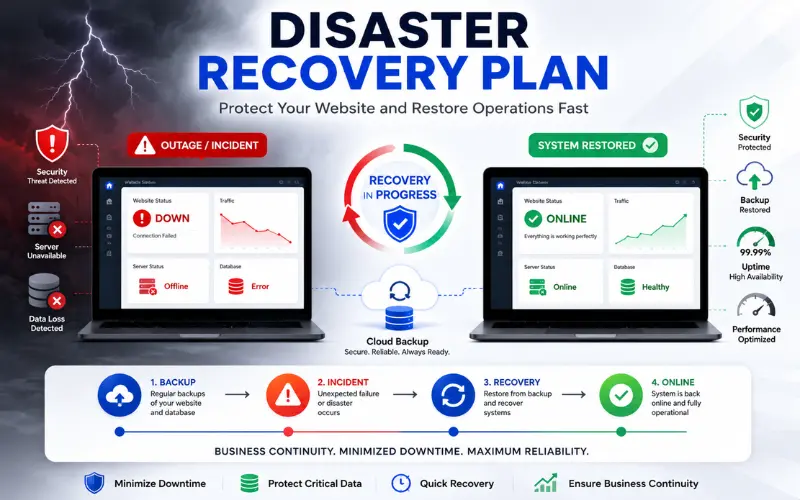
If your website breaks or goes down:
- Check hosting/server status
- Identify last change (plugin/update)
- Restore latest clean backup
- Run security scan
- Test all core functions
- Bring site back online
- Document cause and fix
Step-by-Step: How to Build Your Own Maintenance Plan
Step 1: Audit Your Website
List all plugins, themes, tools, and integrations.
Step 2: Define Tasks
Use the checklist above.
Step 3: Assign Frequency
Daily / Weekly / Monthly / Quarterly / Annual
Step 4: Assign Responsibility
Who handles what?
Step 5: Choose Tools
Select backup, security, and monitoring tools.
Step 6: Document Everything
Create a shared maintenance document.
Step 7: Improve Continuously
Review performance every 3 months.
Frequently Asked Questions
What is a website maintenance plan?
A website maintenance plan is a structured schedule of tasks that keeps a website secure, updated, fast, and fully functional. It includes regular activities like software updates, backups, security checks, and performance optimization to ensure the website runs smoothly without issues.
Why is website maintenance important for SEO?
Website maintenance is important for SEO because search engines prefer websites that are fast, secure, and error-free. Regular maintenance helps fix broken links, improve page speed, update content, and prevent security issues, all of which can improve search rankings over time.
How often should a website be maintained?
Website maintenance should be done on a regular schedule. Daily checks are needed for high-traffic sites, weekly tasks include security scans, monthly tasks involve updates and performance optimization, and quarterly reviews focus on SEO and content improvements.
What happens if a website is not maintained?
If a website is not maintained, it can become slow, vulnerable to hacking, and prone to errors like broken pages or forms. Over time, this can lead to lower search rankings, reduced traffic, poor user experience, and loss of business opportunities.
Can I maintain my website myself?
Yes, you can maintain your website yourself if you have the time and technical knowledge. However, it can be time-consuming and risky if updates or security issues are handled incorrectly. Many businesses prefer hiring professionals to ensure consistent and safe maintenance.
How much does website maintenance cost?
Website maintenance cost depends on the type of website. Small websites may cost a few dollars per month, while business websites usually range from moderate monthly fees. Complex eCommerce or high-traffic websites require more advanced maintenance and therefore cost more.
Final Conclusion
A website maintenance plan is not optional—it is a core business system.
- It protects revenue, improves performance, strengthens SEO, and ensures your website always works when customers need it.
- A well-maintained website does not just function—it performs, ranks, and converts consistently.
In short:
Design builds a website. Maintenance keeps it alive.