
Professional Shopify Website Development
For Your Online Store
We create fast, secure, and conversion-optimized Shopify stores tailored to your business. From custom themes to full-featured eCommerce solutions, we help your brand sell smarter online.
Starter Store
Basic Shopify store setup, mobile-friendly design, essential apps, and SEO-ready configuration.
Get StartedBusiness Store
Custom Shopify theme, product optimization, advanced apps integration, and speed enhancements.
Get StartedAdvanced / Custom
Fully tailored Shopify solution with custom features, payment & shipping integrations, and admin panel enhancements.
Get StartedShopify website development is the process of building, customizing, and optimizing an online store using Shopify—so it loads fast, looks great on mobile, ranks on Google, and converts visitors into buyers.
This guide explains everything in a simple way, including the details most competitor articles skip: realistic timelines, cost breakdowns by project type, ROI-focused decisions, platform comparisons, and a practical launch checklist.
What Is Shopify Website Development?

Shopify website development means creating and improving a Shopify store’s design, features, and performance. It can include:
- Setting up a new Shopify store
- Customizing or building a theme
- Creating custom sections and templates using Liquid
- Adding apps and integrations (email, CRM, shipping, ERP)
- Optimizing speed, SEO, and conversion rate
- Migrating from WooCommerce, Magento, or another platform
- Building headless Shopify experiences using modern frameworks
The goal is simple: a storefront that sells more with less friction.
Who Needs Shopify Website Development?
You’ll benefit from Shopify development if you want:
- A professional store that matches your brand
- Better speed and mobile experience
- Higher conversion rate (more sales from the same traffic)
- Custom features (bundles, subscriptions, B2B pricing, custom checkout rules)
- Clean SEO structure for Google rankings
- Stable integrations with third-party tools
Types of Shopify Website Development
Different businesses need different levels of development. Here are the main types.
1) Shopify Store Setup
Best for: new stores, MVPs, small catalogs
Typical work includes:
- Theme selection and branding setup
- Pages (Home, About, Contact, Policies)
- Product setup + collections
- Payments, shipping, taxes
- Basic SEO settings
2) Theme Customization
Best for: brands using premium themes but needing upgrades
Typical work includes:
- Custom sections (homepage blocks, banners, FAQs)
- Product page improvements (sticky ATC, size guides, tabs)
- Collection filters and sorting
- UX improvements and conversion enhancements
3) Custom Shopify Theme Development
Best for: brands that need a unique design and user journey
Typical work includes:
- Custom UI/UX design and build
- Fully tailored templates (PDP, PLP, landing pages)
- Cleaner codebase than “theme + many apps”
- Higher performance potential
4) Shopify App Development
Best for: stores needing features apps can’t solve properly
Examples:
- Custom product configurators
- Advanced bundles and kits
- Custom loyalty logic
- ERP/CRM automation flows
- Custom dashboards or operational tools
5) Headless Shopify Development
Best for: high-traffic brands needing maximum speed + flexibility
How it works:
- Shopify runs the backend (products, orders, checkout)
- A custom frontend runs separately (often Next.js)
- You connect via Shopify APIs
6) Shopify Migration Development
Best for: switching from WooCommerce, Magento, BigCommerce, etc.
It includes:
- Data migration (products, customers, orders)
- URL mapping + redirects to protect SEO
- Theme recreation
- Replacing plugins/apps with Shopify equivalents
- Testing and launch support
Shopify Website Development Tech Stack
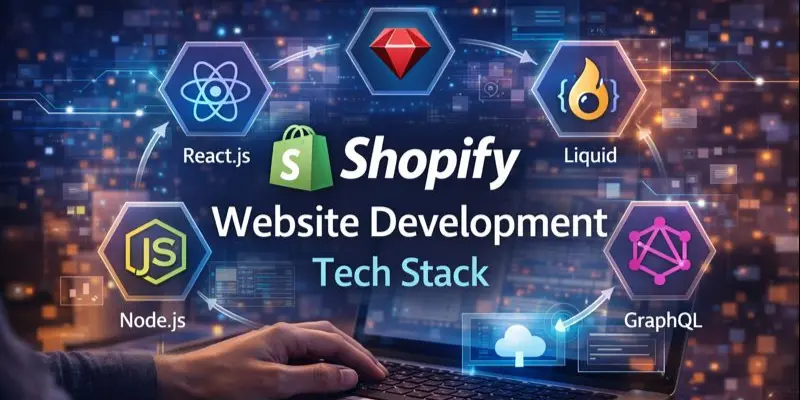
You don’t need to be technical, but it helps to know the basics.
Core Shopify technologies:
- Liquid (Shopify’s template language)
- HTML/CSS/JavaScript (front-end)
- Shopify Admin (store management)
- Shopify Apps (feature extensions)
For advanced builds:
- Shopify APIs (Admin API, Storefront API)
- Hydrogen (Shopify’s headless framework)
- React / Next.js (common headless tech)
Shopify Website Development Process (Step-by-Step)
Step 1: Define Goals and Store Requirements
Write down:
- What you sell
- Target customers
- Must-have features (subscriptions, bundles, B2B, etc.)
- Your top conversion goal (email signups, purchases, upsells)
Step 2: Plan Structure (The SEO + UX Foundation)
This is where many stores lose money. Plan:
- Collections and sub-collections
- Navigation menus
- URL structure
- Key landing pages (best sellers, seasonal pages, category pages)
Step 3: Choose the Right Build Approach
Pick one:
- Starter setup
- Theme customization
- Custom theme
- Headless
- Migration
Step 4: Design the Key Pages
Focus on:
- Homepage
- Collection pages
- Product pages
- Cart and checkout experience
- Content pages (shipping, returns, FAQs)
Step 5: Develop and Integrate Features
This may include:
- Apps (reviews, email, upsell)
- Custom code (Liquid sections)
- Third-party integrations (shipping, analytics, CRM)
Step 6: Performance, SEO, and Conversion Optimization
Important improvements:
- Image compression and modern formats
- Remove unnecessary apps/scripts
- Improve Core Web Vitals where possible
- Add schema markup (products, breadcrumbs)
- Optimize product templates for conversions
Step 7: Testing (Before You Go Live)
Test:
- Mobile responsiveness
- Add-to-cart and checkout flow
- Payments (test orders)
- Shipping rates/taxes
- Email notifications
- Page speed + broken links
Step 8: Launch + Post-Launch Optimization
After launch:
- Track conversion rate, bounce rate, and page speed
- Fix issues from real user behavior
- A/B test key sections
- Keep improving monthly
How Long Does Shopify Website Development Take?
Here are realistic timelines:
- Basic Shopify setup: 3–10 days
- Theme customization: 1–3 weeks
- Custom theme build: 4–10 weeks
- Custom app development: 3–12 weeks
- Headless Shopify build: 8–16+ weeks
- Migration (small/medium): 2–6 weeks
- Migration (large catalog): 6–12+ weeks
Timeline depends on:
- Number of products/SKUs
- Design complexity
- Apps and integrations
- Content readiness (images, product descriptions)
Shopify Website Development Cost
Costs vary widely, so here’s a clearer breakdown than most competitor pages.
Typical Price Ranges
- Starter store setup: $500 – $3,000
- Theme customization: $1,500 – $8,000
- Custom theme development: $8,000 – $30,000+
- Custom Shopify app: $5,000 – $50,000+
- Headless Shopify: $20,000 – $100,000+
- Migration: $2,000 – $25,000+
What Increases Cost Fast?
- Custom design + custom sections on many templates
- Multi-currency / multi-language stores
- Complex product options/configurators
- B2B pricing rules
- Heavy integrations (ERP, custom inventory systems)
- Replacing multiple apps with custom code
Ongoing Costs You Should Budget For
- Shopify plan (monthly)
- Paid apps (monthly)
- Domain + email
- Maintenance (updates, fixes, improvements)
- CRO/SEO work if you want growth
Shopify vs Woo-Commerce
If you’re deciding between platforms, here’s the simple truth:
Shopify is best when you want:
- Faster setup
- Reliable hosting/security handled for you
- A smoother non-technical experience
- Strong ecosystem of apps and integrations
Woo-Commerce is best when you want:
- Maximum customization (and you have dev resources)
- Full control over hosting and backend
- A content-heavy site where WordPress is central
For most brands that want to move quickly and scale, Shopify wins on simplicity and stability.
Best Practices for Shopify Website Development
Build for mobile first
Most traffic is mobile. Prioritize:
- Thumb-friendly buttons
- Fast image loading
- Simple navigation
Keep apps lean
Too many apps = slower store and conflicts.
- Prefer 1 strong app over 3 weak ones
- Replace heavy features with lightweight custom code when possible
Improve product pages
High-impact upgrades:
- Clear product benefits (not just features)
- Size guide / FAQs
- Reviews and UGC
- Sticky Add-to-Cart on mobile
- Trust badges (shipping, returns)
Optimize for SEO from day one
Do this early:
- Clean collection structure
- Optimized titles/meta
- Unique product descriptions
- Image alt text
- Internal links between collections and products
Common Shopify Development Mistakes (And How to Avoid Them)
- Installing too many apps → slows down store
- Using huge images → kills mobile speed
- Skipping redirects during migration → destroys SEO
- Not testing checkout → lost sales
- Confusing navigation → higher bounce rate
- No analytics setup → you can’t improve what you can’t measure
Shopify Launch Checklist (Practical and Easy)
Before you go live, confirm:
Store setup
- Payments working (test transaction)
- Shipping rates correct
- Taxes configured
- Email notifications checked
SEO
- Meta titles/descriptions set
- Redirects added (if migrating)
- Sitemap + robots.txt reviewed
- Google Search Console connected
Performance
- Mobile speed tested
- Image sizes optimized
- Unused apps removed
Trust
- Policies added (shipping, returns, privacy)
- Contact info visible
- SSL active
- Reviews or social proof included
How to Choose the Right Shopify Developer or Agency
Ask these questions before hiring:
- Can you show Shopify stores you built in my industry?
- What’s your timeline and what are the milestones?
- What is included in the final price (and what isn’t)?
- How do you handle speed optimization and SEO?
- Will you document the work and train my team?
- What support do you offer after launch?
Tip: Choose teams that talk about business outcomes (sales, speed, conversion), not just “themes and code.
FAQs About Shopify Website Development
Yes—if you set up your structure, collections, internal links, and on-page SEO correctly. Many Shopify SEO issues come from weak content and poor site structure, not the platform.
Not always. If you’re using a theme and basic apps, you can launch without one. You need a developer when you want custom sections, performance improvements, unique UX, or integrations.
- If you want speed and value: customize a premium theme.
- If you need unique UX and full control: build a custom theme.
Final Thoughts
Shopify website development isn’t just about making a store look nice. It’s about building a fast, trustworthy, easy-to-use shopping experience that turns visitors into customers—and keeps them coming back.
If you want, I can also:
- create an SEO-optimized outline with keyword clusters,
- write a services landing page version (lead-gen),
- or add a pricing table and industry-specific examples (fashion, beauty, electronics, B2B).
Just tell me what type of Shopify business you’re targeting.