Introduction
A website can look impressive, but if it loads slowly or goes offline, users will leave.
Speed, stability, and responsiveness are no longer optional. They directly affect user experience, search rankings, and conversions.
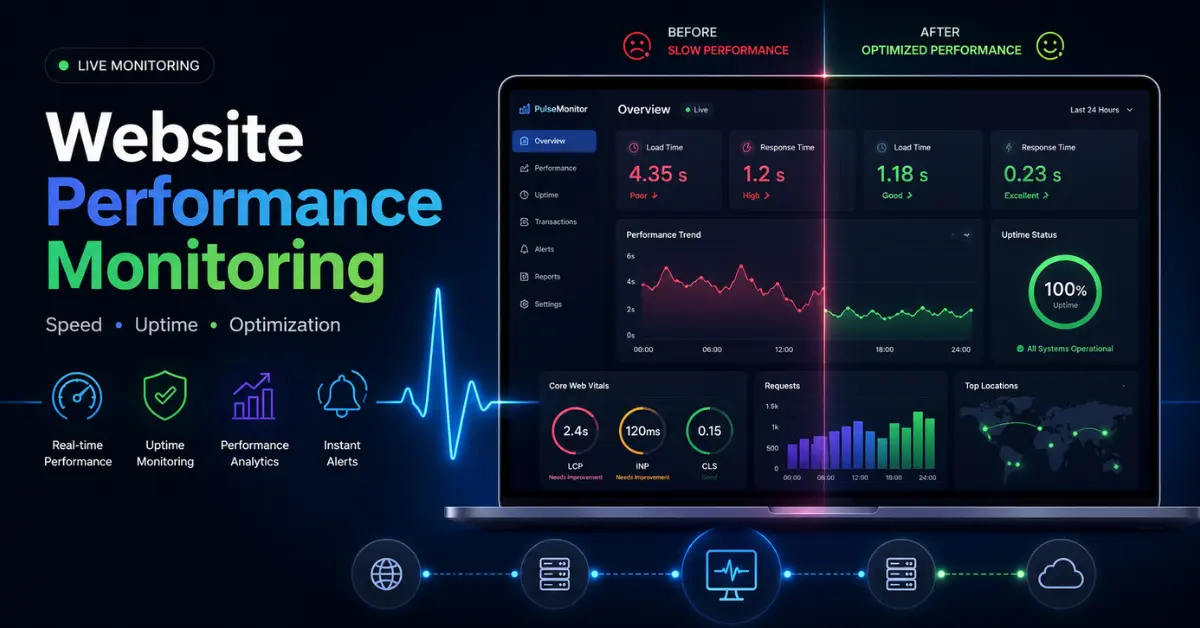
Website performance monitoring helps you continuously track how your site behaves in real-world conditions, detect issues early, and improve performance over time.
This guide explains everything in a clear and practical way, from core concepts to advanced strategies, so you can build and maintain a fast and reliable website.
What Is Website Performance Monitoring?
Website performance monitoring is the ongoing process of measuring, analyzing, and improving how a website performs for users.
It focuses on four key areas:
- Speed – How quickly pages load
- Uptime – Whether the website is available
- Responsiveness – How fast users can interact
- Stability – Whether elements load smoothly without shifting
In simple terms, it ensures your website works quickly and consistently for every visitor.
Why Website Performance Monitoring Matters
User Experience
- Users expect fast-loading pages. Even small delays can lead to frustration and higher bounce rates.
- A smooth experience keeps users engaged and encourages them to explore further.
Search Engine Rankings
- Search engines prioritize websites that load quickly and provide a stable experience.
- Performance metrics like Core Web Vitals are directly tied to rankings.
Conversions and Revenue
Speed has a measurable impact on results:
- Faster pages increase conversions
- Users are more likely to complete purchases
- Engagement and retention improve
Even a one-second improvement can significantly affect outcomes.
Reliability and Trust
- Downtime or errors reduce trust.
- Monitoring helps you detect and fix problems before users notice them.
Key Metrics You Should Track
Core Web Vitals
Largest Contentful Paint (LCP)
- Measures how long it takes for the main content to load
- Ideal: under 2.5 seconds
Interaction to Next Paint (INP)
- Measures responsiveness to user interactions
- Ideal: under 200 milliseconds
Cumulative Layout Shift (CLS)
- Measures visual stability
- Ideal: under 0.1
Additional Metrics
- Time to First Byte (TTFB) – Server response speed
- Page Load Time – Total loading time
- Uptime – Site availability
- Error Rate – Failed requests
- Bounce Rate – Users leaving quickly
Tracking these together gives a complete picture of performance.
Types of Website Performance Monitoring
Synthetic Monitoring
Simulates user behavior using scripts.
- Tests performance across locations and devices
- Detects issues before users experience them
Real User Monitoring (RUM)
Tracks actual user interactions.
- Shows real-world performance
- Reveals device and location differences.
Uptime Monitoring
Continuously checks if your website is online.
- Sends alerts during downtime
- Helps reduce outages
Transaction Monitoring
Tracks complete user journeys such as sign-ups or purchases.
- Identifies failures in critical processes
- Essential for e-commerce and SaaS websites
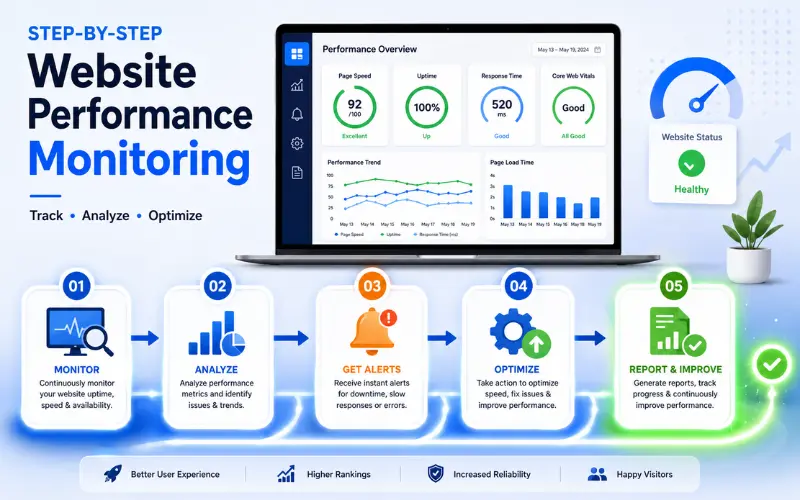
Step-by-Step Process to Monitor Website Performance
Step 1: Choose the Right Tools
Use reliable tools such as:
- Lighthouse
- PageSpeed Insights
- GTmetrix
- Pingdom
- WebPageTest
Step 2: Test Across Devices and Locations
Analyze performance on:
- Mobile
- Desktop
- Different regions
This ensures consistent experience for all users.
Step 3: Analyze Core Metrics
Focus on:
- Loading speed (LCP)
- Responsiveness (INP)
- Stability (CLS)
Step 4: Identify Bottlenecks
Common issues include:
- Large images
- Slow hosting
- Excessive scripts
- Poor caching
Step 5: Optimize Your Website
- Compress and resize images
- Minify CSS and JavaScript
- Enable browser caching
- Use a Content Delivery Network (CDN)
Step 6: Set Alerts and Automation
- Get notified of downtime
- Monitor slow performance
- Respond quickly to issues
Step 7: Monitor Continuously
Track performance over time to:
- Identify trends
- Measure improvements
- Prevent future issues
Factors That Affect Website Performance
Image and Media Size
- Large files increase load time.
- Always optimize and compress images.
Hosting and Server Quality
- Poor hosting leads to slow response times and downtime.
- Choose reliable infrastructure.
Code Efficiency
- Heavy or unoptimized code slows down pages.
- Clean code improves performance.
Use of CDN
- A CDN delivers content from servers closer to users, reducing delay.
Third-Party Resources
- External scripts can slow your site if they are unreliable.
- Limit unnecessary dependencies.
Advanced Monitoring Strategies
Combine Synthetic and Real User Data
- Synthetic monitoring detects issues early
- Real user monitoring shows actual experience
Using both gives a complete picture.
Monitor Performance Over Time
- Track trends
- Analyze peak traffic behavior
- Measure impact of updates
Use Performance Budgets
Set limits for:
- Page size
- Load time
- Number of requests
This keeps your site optimized as it grows.
Analyze User Sessions
Session recordings help you:
- Identify slow elements
- Detect layout shifts
- Understand interaction delays
Common Mistakes to Avoid
- Ignoring mobile performance
- Tracking only one metric
- Overloading pages with scripts
- Not monitoring regularly
- Using poor hosting
- Relying too much on third-party tools
Practical Tips to Improve Performance
- Optimize images
- Reduce unnecessary scripts
- Use caching
- Minimize HTTP requests
- Choose fast hosting
- Run regular audits
Performance Benchmarks

- Ideal load time: under 2 seconds
- Acceptable load time: under 3 seconds
- LCP: ≤ 2.5 seconds
- INP: ≤ 200 ms
- CLS: ≤ 0.1
Real-World Impact
Reducing load time from 5 seconds to 2 seconds can lead to:
- Higher engagement
- Lower bounce rate
- Increased conversions
- Better rankings
Performance improvements directly affect growth.
Frequently Asked Questions
What is website performance monitoring?
Website performance monitoring is the process of continuously tracking how fast, stable, and accessible your website is for users. It focuses on measuring speed, uptime, responsiveness, and overall user experience to ensure your site performs efficiently at all times.
Why is website performance monitoring important for SEO?
Website performance monitoring is important for SEO because search engines prioritize fast and stable websites. A well-performing site improves user experience, reduces bounce rates, and helps achieve better rankings through metrics like Core Web Vitals.
What is a good website load time for better performance?
A good website load time is under 2 seconds, as faster websites provide a better user experience and higher engagement. Pages that load within 3 seconds are acceptable, but anything slower can negatively affect conversions and search rankings.
How often should website performance be monitored?
Website performance should be monitored continuously to detect issues in real time. For smaller websites, regular weekly checks can work, but automated monitoring tools provide better accuracy and faster problem detection.
What tools are used for website performance monitoring?
Website performance monitoring tools help analyze speed, uptime, and user experience. Commonly used tools include Google PageSpeed Insights, Lighthouse, GTmetrix, Pingdom, and WebPageTest, all of which provide insights and recommendations for optimization.
How can I improve website performance quickly?
Website performance can be improved quickly by optimizing images, reducing unnecessary scripts, enabling caching, using a content delivery network, and choosing reliable hosting. These changes help reduce load time and improve overall site efficiency.
Conclusion
Website performance monitoring is essential for maintaining a fast, stable, and user-friendly website.
By tracking the right metrics, using proper tools, and optimizing consistently, you can:
- Improve user experience
- Increase search visibility
- Boost conversions
Consistent monitoring is what separates high-performing websites from the rest.