Every website connected to the internet is a potential target for cybercriminals. It does not matter whether you own a personal blog, a small business website, an online store, or a large corporate platform. Automated bots constantly scan websites for weak passwords, outdated software, and security vulnerabilities that can be exploited within minutes.
A single successful attack can lead to stolen customer data, lost search rankings, malware infections, website downtime, and damaged trust. Recovering from a hacked website often costs far more than preventing the attack in the first place.
That is why investing in a reliable website security service is one of the smartest decisions any website owner can make. Modern security services do much more than install an SSL certificate. They monitor your website around the clock, block malicious traffic, detect vulnerabilities before hackers exploit them, remove malware, and help keep your website online even during large-scale attacks.
This guide explains everything you need to know in simple language. You will learn how website security services work, the threats they protect against, the features that matter most, and how to choose the right solution for your website.
What Is a Website Security Service?

A website security service is a professional solution that protects your website from cyber threats before they can cause damage. Instead of reacting after your website has already been hacked, these services continuously monitor your website, identify suspicious activity, and stop attacks in real time.
Think of it as a security system for your home. Locks protect your doors, cameras monitor activity, and alarms warn you if someone tries to break in. A website security service works in a similar way by protecting your website from multiple types of online threats.
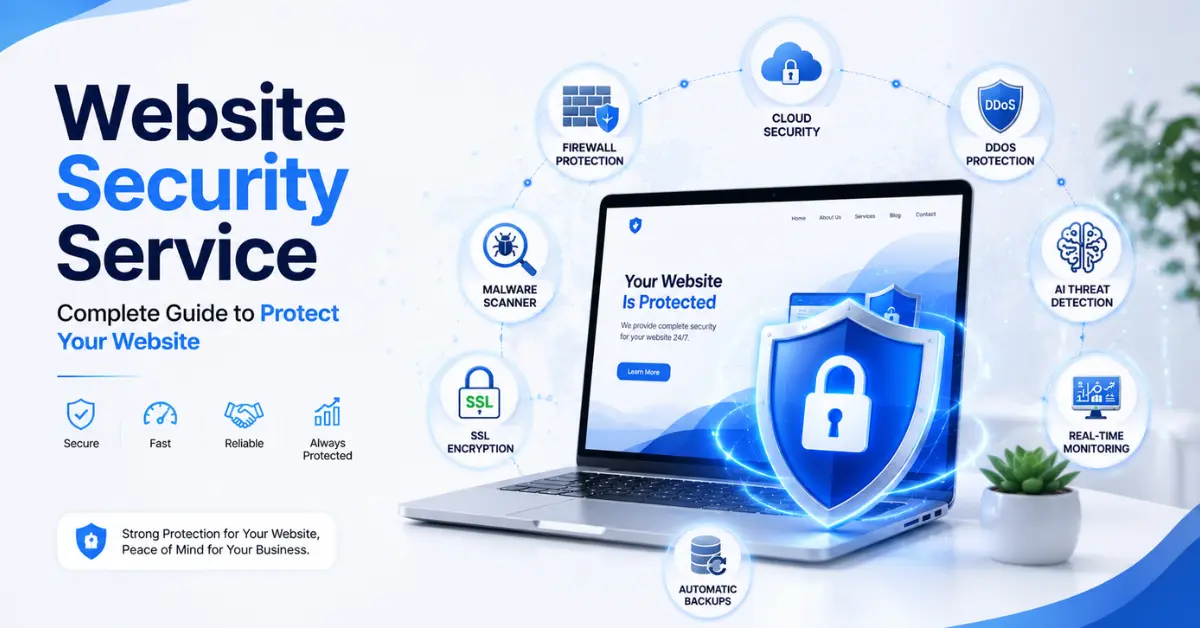
A complete website security service typically includes:
- Malware scanning and removal
- Web Application Firewall (WAF)
- DDoS protection
- Real-time threat monitoring
- Vulnerability detection
- SSL and HTTPS support
- Website backups
- Login protection
- Security alerts
- Website recovery tools
Instead of relying on a single layer of protection, these services combine multiple security technologies to keep your website safe.
Why Website Security Service Is Important
Cybercrime is growing every year, and hackers no longer target only large companies. Small businesses, personal blogs, portfolio websites, and local service providers are attacked every day because many of them have weaker security.
In fact, attackers often use automated bots that scan thousands of websites every hour looking for common weaknesses such as:
- Outdated WordPress plugins
- Old website themes
- Weak administrator passwords
- Unpatched software
- Misconfigured servers
- Exposed login pages
Once a vulnerability is found, the attack usually happens automatically without any human involvement.
Ignoring website security can result in serious consequences.
A hacked website may cause:
- Loss of customer trust
- Website downtime
- Stolen customer information
- Malware infections
- SEO spam injections
- Google security warnings
- Lower search rankings
- Reduced website traffic
- Financial losses
- Expensive recovery costs
For businesses that depend on online visitors, even a few hours of downtime can result in lost sales and long-term damage to their reputation.
How Websites Actually Get Hacked
Many articles simply list different cyber threats but never explain how attacks happen in the real world. Understanding the attack process helps you see why every layer of security matters.
A typical attack often follows these steps:
Step 1: Automated Bots Scan the Internet
Hackers use automated software that continuously searches millions of websites for weaknesses.
The bots check for:
- Outdated plugins
- Old CMS versions
- Weak passwords
- Public login pages
- Known software vulnerabilities
Most website owners never notice these scans because they happen silently in the background.
Step 2: A Vulnerability Is Found
Once a weakness is detected, attackers attempt to exploit it.
For example:
- An outdated WordPress plugin may allow file uploads.
- A weak password may allow unauthorized access.
- A vulnerable contact form may expose your database.
This process often takes only seconds.
Step 3: Malicious Code Is Installed
After gaining access, attackers usually install harmful code on the website.
This malware may:
- Redirect visitors to scam websites
- Display unwanted advertisements
- Send spam emails
- Steal customer information
- Infect additional website files
- Create hidden administrator accounts
Many website owners continue using their websites without realizing they have already been compromised.
Step 4: Search Engines Detect the Problem
If malware remains active, search engines may identify suspicious behavior.
Possible consequences include:
- Security warnings in search results
- Lower rankings
- De-indexed pages
- Browser warnings for visitors
- Loss of organic traffic
Recovering these rankings can take weeks or even months.
Step 5: Recovery Becomes Expensive
Cleaning a hacked website often requires:
- Malware removal
- File restoration
- Database cleanup
- Password resets
- Security audits
- Search engine reconsideration requests
Prevention is almost always easier and less expensive than recovery.
Common Cyber Threats Every Website Owner Should Know
Cybercriminals use many different methods to attack websites. Some attacks aim to steal sensitive information, while others try to damage your website, spread malware, or disrupt your business.
Understanding these common threats helps you see why a professional website security service is essential. The better you understand these risks, the easier it is to protect your website before an attack happens.
Malware
Malware is malicious software that infects a website without the owner’s knowledge. Once installed, it can steal customer data, redirect visitors to harmful websites, display unwanted advertisements, or even give hackers complete control of your website.
Common signs of malware include:
- Unexpected redirects
- Unknown files appearing on the server
- Spam pages indexed by Google
- Slow website performance
- Browser security warnings
A reliable website security service continuously scans your website, detects malicious files, removes infections, and helps prevent future attacks.
Brute Force Attacks
A brute force attack occurs when automated bots repeatedly try thousands of username and password combinations until they successfully access your website.
These attacks usually target administrator login pages and are one of the most common threats for WordPress websites.
A website security service helps prevent brute force attacks by:
- Limiting failed login attempts
- Blocking suspicious IP addresses
- Enabling two-factor authentication
- Detecting unusual login activity
SQL Injection
SQL Injection is a database attack where hackers insert malicious code into website forms or URLs to manipulate database queries.
If successful, attackers may:
- Access confidential information
- Modify or delete database records
- Create administrator accounts
- Take control of the website
A Web Application Firewall (WAF) blocks most SQL Injection attempts before they reach your server.
Cross-Site Scripting (XSS)
Cross-Site Scripting, commonly known as XSS, allows attackers to inject malicious JavaScript into a website. When visitors load the affected page, the harmful script runs in their browser.
An XSS attack can:
- Steal login sessions
- Collect user information
- Redirect visitors to phishing websites
- Display fake login forms
Regular security monitoring and a properly configured firewall significantly reduce the risk of XSS attacks.
DDoS Attacks
A Distributed Denial-of-Service (DDoS) attack floods a website with massive amounts of fake traffic. The goal is to overload the server so genuine visitors cannot access the website.
Without proper protection, a DDoS attack can cause:
- Website downtime
- Lost sales
- Poor user experience
- Reduced customer trust
Professional website security services use global traffic filtering, intelligent rate limiting, and content delivery networks (CDNs) to keep websites available during these attacks.
SEO Spam
SEO spam is a hidden attack where hackers secretly add spam pages, backlinks, or redirects to your website. These pages often promote gambling, counterfeit products, or other unrelated content without your knowledge.
SEO spam can lead to:
- Lower search rankings
- Google security warnings
- Loss of organic traffic
- Damaged brand reputation
Routine malware scanning, file integrity monitoring, and security audits help detect and remove SEO spam before it affects your website’s visibility.
Website Backup and Recovery
Even the strongest security system cannot guarantee that a website will never experience an issue. Hardware failures, accidental file deletion, software conflicts, and sophisticated cyberattacks can all result in data loss. This is why regular backups are one of the most important parts of website security.
A professional website security service automatically creates secure backups of your website and allows you to restore everything quickly if something goes wrong.
A good backup solution should include:
- Automatic daily or real-time backups
- Secure cloud storage
- One-click website restoration
- Database and file backups
- Backup version history
With a recent backup, you can recover from malware, hacking, or accidental mistakes without rebuilding your website from scratch.
Uptime and Security Monitoring
Website attacks often begin without the owner noticing. Continuous monitoring helps identify unusual activity before it becomes a serious problem.
A reliable website security service monitors your website 24/7 and immediately alerts you if suspicious activity is detected.
Security monitoring usually includes:
- Website uptime monitoring
- Malware detection
- Unauthorized file changes
- Suspicious login attempts
- Server health monitoring
- SSL certificate monitoring
Early detection allows problems to be resolved quickly, reducing downtime and protecting your visitors.
Website Security Service vs Basic Hosting Security
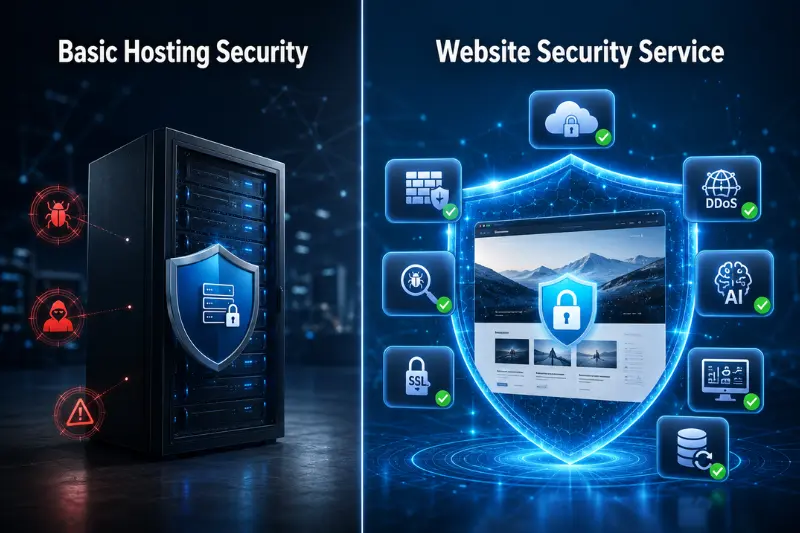
Many website owners believe their hosting provider offers complete protection. While hosting companies usually provide basic server security, they are not responsible for protecting your website from every type of cyberattack.
The table below highlights the differences.
| Feature | Basic Hosting Security | Professional Website Security Service |
|---|---|---|
| Malware Scanning | Limited or unavailable | Continuous scanning and detection |
| Malware Removal | Usually not included | Included in most plans |
| Web Application Firewall (WAF) | Basic or unavailable | Advanced firewall protection |
| DDoS Protection | Limited | Enterprise-level protection |
| Real-Time Monitoring | Limited | 24/7 monitoring and alerts |
| Website Backups | Optional | Automatic backups |
| Vulnerability Scanning | Rarely included | Continuous scanning |
| SEO Spam Protection | Usually unavailable | Included |
| Emergency Recovery | Limited | Professional cleanup and recovery |
Hosting security protects the server, while a website security service protects your website itself.
Website Security for WordPress
WordPress powers millions of websites worldwide, making it one of the most popular targets for hackers. Most successful attacks are not caused by WordPress itself but by outdated plugins, vulnerable themes, weak passwords, or poor security practices.
A website security service designed for WordPress helps protect against:
- Outdated plugins
- Vulnerable themes
- Brute force login attacks
- XML-RPC abuse
- File injection attacks
- SEO spam
- Malware infections
Additional security features may include:
- Login attempt limits
- Two-factor authentication (2FA)
- File integrity monitoring
- Automatic plugin vulnerability detection
- Database security checks
- Admin account monitoring
Keeping WordPress, themes, and plugins updated is one of the simplest ways to reduce security risks.
How Website Security Helps SEO
Website security is not only important for protecting your data but also for maintaining strong search engine rankings.
Search engines prioritize websites that provide a safe browsing experience. If your website becomes infected with malware or starts redirecting users to harmful pages, your rankings can decline significantly.
A website security service supports SEO by:
- Preventing malware infections
- Protecting against SEO spam
- Reducing website downtime
- Improving website performance through CDN integration
- Maintaining visitor trust
- Preventing Google security warnings
A secure website creates a better user experience, which can indirectly improve engagement and long-term search performance.
Best Website Security Services Compared
Choosing the right security provider depends on your website’s size, budget, and security requirements.
| Security Service | Best For | Key Features |
|---|---|---|
| Cloudflare | Websites of all sizes | WAF, CDN, DDoS protection, bot management |
| Sucuri | WordPress and business websites | Malware removal, firewall, monitoring |
| Wordfence | WordPress websites | Malware scanner, login protection, firewall |
| MalCare | WordPress websites | One-click malware removal, automatic scanning |
| SiteLock | Small businesses | Website scanning, malware cleanup, vulnerability detection |
Each provider offers different features, so compare pricing, support, and protection before making a decision.
Free vs Paid Website Security Services
Many website owners start with free security tools. While they offer basic protection, they often lack advanced features required to stop modern cyber threats.
Free Security Services
Advantages:
- No cost
- Basic malware scanning
- Limited firewall protection
- Suitable for personal websites
Limitations:
- Limited threat detection
- No professional malware cleanup
- Limited customer support
- Fewer monitoring features
Paid Website Security Services
Advantages:
- Real-time protection
- Advanced Web Application Firewall
- Automatic malware removal
- DDoS protection
- Continuous monitoring
- Priority customer support
- Regular backups
For businesses and eCommerce websites, paid security services are generally worth the investment because the cost of recovering from a cyberattack is often much higher than the cost of prevention.
Website Security Checklist
Use the following checklist to evaluate your website’s security.
- SSL certificate is installed and active.
- A Web Application Firewall (WAF) is enabled.
- Malware scans run automatically.
- Daily backups are configured.
- Strong passwords are used for all accounts.
- Two-factor authentication (2FA) is enabled.
- WordPress core, plugins, and themes are up to date.
- Unused plugins and themes have been removed.
- Security monitoring is active.
- Website recovery procedures have been tested.
If several of these items are missing, your website could be vulnerable to cyberattacks.
Common Website Security Mistakes
Many successful attacks happen because website owners overlook basic security practices.
Avoid these common mistakes:
- Using weak or reused passwords
- Ignoring software updates
- Installing plugins from untrusted sources
- Relying only on SSL certificates
- Not creating regular backups
- Giving administrator access to unnecessary users
- Delaying malware cleanup
- Ignoring security alerts
Most cyberattacks exploit simple mistakes rather than highly advanced hacking techniques. Following basic security best practices can significantly reduce your risk.
How to Choose the Right Website Security Service
Not every website needs the same level of protection. The right website security service depends on your website type, the amount of traffic you receive, and the data you collect from visitors.
Before choosing a security provider, consider the following factors.
Real-Time Threat Protection
Choose a service that monitors your website continuously and blocks threats before they cause damage. Real-time protection is far more effective than running manual scans after an attack has already occurred.
Malware Detection and Removal
A good security service should not only detect malware but also remove it quickly. Look for automatic malware cleanup or access to professional security experts who can restore your website if it becomes infected.
Web Application Firewall (WAF)
A powerful firewall blocks malicious traffic before it reaches your website. This helps prevent common attacks such as SQL Injection, Cross-Site Scripting (XSS), and brute force login attempts.
Automatic Backups
Regular backups are essential for recovering from unexpected problems. Choose a service that creates automatic backups and allows you to restore your website with minimal downtime.
DDoS Protection
If your website receives a large amount of traffic or operates an online business, DDoS protection is an important feature. It helps keep your website available even during large-scale attacks.
Customer Support
Security incidents often require immediate attention. A provider with 24/7 customer support can help resolve problems much faster than one with limited support hours.
Ease of Use
The best website security service should be easy to configure and manage, even if you have limited technical knowledge. A simple dashboard, clear reports, and automatic security features save both time and effort.
Who Needs a Website Security Service?
Every website connected to the internet can become a target for cyberattacks. However, some websites are at greater risk because they store customer information or process online transactions.
A website security service is highly recommended for:
- Small business websites
- eCommerce stores
- WordPress websites
- Company websites
- Membership websites
- Educational websites
- News and media websites
- Portfolio websites
- Agency websites
- Blogs with regular traffic
Even a small personal website can be compromised if it contains outdated software or weak login credentials.
Website Security Best Practices
Using a professional security service is important, but following basic security practices provides an additional layer of protection.
Follow these best practices to reduce security risks:
- Keep your website software updated.
- Update plugins and themes regularly.
- Use strong, unique passwords for every account.
- Enable two-factor authentication whenever possible.
- Remove unused plugins and themes.
- Install an SSL certificate and always use HTTPS.
- Schedule automatic backups.
- Monitor your website regularly for unusual activity.
- Limit administrator access to trusted users only.
- Scan your website frequently for malware and vulnerabilities.
Combining these practices with a reliable website security service greatly reduces the chances of a successful cyberattack.
Frequently Asked Questions
What is a website security service?
A website security service is a professional solution that protects websites from cyber threats such as malware, hacking attempts, data breaches, DDoS attacks, and unauthorized access through continuous monitoring and multiple layers of security.
Is an SSL certificate enough to secure a website?
No. An SSL certificate encrypts data transferred between your website and visitors, but it does not protect against malware, hacking attempts, brute force attacks, or other cybersecurity threats.
How often should a website be scanned for malware?
Real-time monitoring provides the highest level of protection. If real-time scanning is unavailable, your website should be scanned at least once every day to detect security issues as early as possible.
Can a website security service remove malware?
Yes. Most professional website security services include malware detection, removal, website cleanup, and recommendations to help prevent future infections.
Does website security improve SEO?
Yes. A secure website is less likely to be blacklisted by search engines, suffer from SEO spam, or experience downtime. Strong website security also improves user trust, which supports long-term SEO performance.
What is the difference between hosting security and website security?
Hosting security protects the server infrastructure, while a website security service focuses on protecting your individual website from malware, vulnerabilities, unauthorized access, and other cyber threats.
Final Thoughts
Website security is no longer optional. Cyber threats continue to evolve, and websites of every size are targeted every day. Whether you manage a personal blog, a business website, or an online store, investing in a reliable website security service helps protect your data, your visitors, and your online reputation.
A complete website security service provides multiple layers of protection, including malware scanning, firewall protection, DDoS mitigation, backups, real-time monitoring, and vulnerability detection. Together, these features help reduce downtime, protect sensitive information, and support long-term website performance.
The best time to improve your website’s security is before an attack happens. By choosing the right security solution and following proven security best practices, you can significantly reduce risks and keep your website safe, reliable, and trusted by both visitors and search engines.