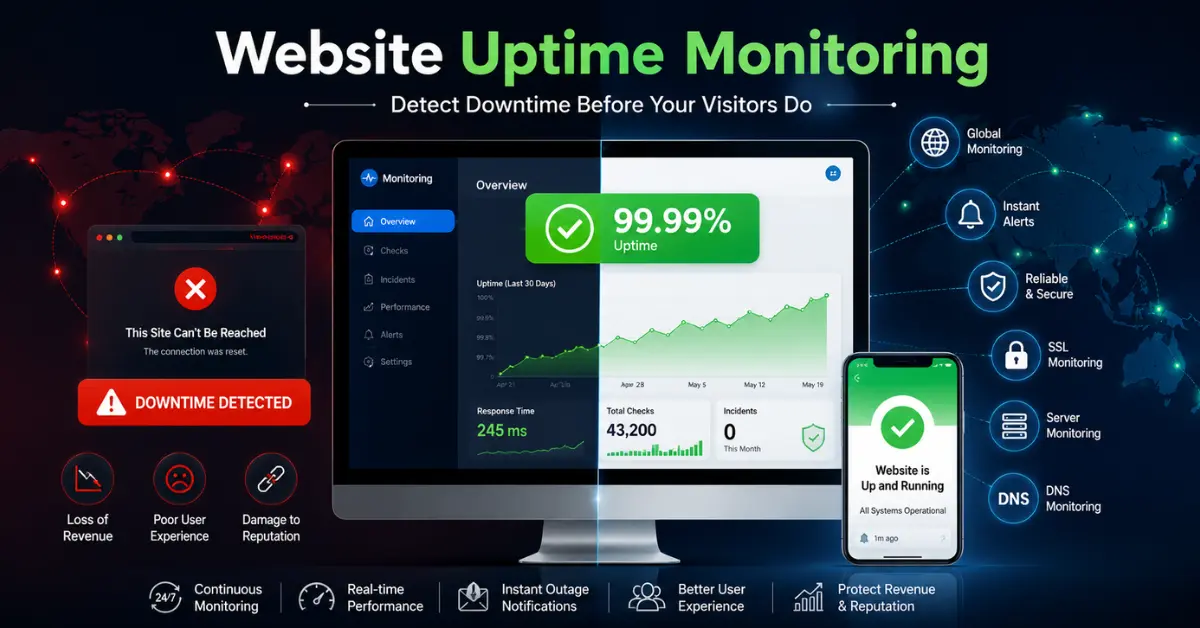
If your website goes down, visitors cannot access your content, customers cannot place orders, and your business can lose money within minutes.
That is why website uptime monitoring is essential.
It continuously checks whether your website is online and alerts you the moment something goes wrong. Instead of finding out from frustrated customers, you know immediately and can fix the issue before it damages your reputation.
In this guide, you will learn:
- What website uptime monitoring is
- Why it matters for SEO and revenue
- Common causes of downtime
- Key metrics to track
- Best uptime monitoring tools
- How to set up monitoring in minutes
- Best practices to reduce downtime
What Is Website Uptime Monitoring?
Website uptime monitoring is the process of automatically checking whether your website is available and working properly.
A monitoring service sends requests to your website at regular intervals, such as every 1 or 5 minutes. If your site fails to respond or returns an error, the system sends an alert through email, SMS, or apps like Slack.
Simple Definition
Website uptime monitoring tells you when your website is down or experiencing performance issues.
What Is Website Uptime?
Website uptime is the amount of time your website remains online and accessible to users.
It is usually expressed as a percentage.
For example:
99% uptime = your site is down for about 7 hours per month
99.9% uptime = about 43 minutes of downtime per month
99.99% uptime = about 4 minutes of downtime per month
The higher the uptime percentage, the more reliable your website is.
Uptime vs Availability
| Term | Meaning |
|---|---|
| Uptime | Total time the server is operational |
| Availability | Percentage of time users can access the service |
A server may be technically running, but if customers cannot complete purchases, your site is not truly available.
Why Website Uptime Monitoring Matters
Downtime affects more than just your website.
Lost Revenue
For ecommerce websites, every minute offline can mean lost sales.
Poor User Experience
Visitors who see errors often leave and may never return.
SEO Impact
Search engines such as Google may reduce rankings if they repeatedly encounter downtime.
SLA Compliance
SaaS companies must maintain uptime guarantees to avoid service credits and penalties.
Reputation Damage
Frequent outages reduce trust and make your business appear unreliable.
Common Causes of Website Downtime
Most outages happen because of predictable issues.
Hosting Server Problems
- Hardware failures
- Resource exhaustion
- Data center outages
DNS Errors
- Misconfigured DNS records
- DNS propagation problems
Expired Domain or SSL Certificate
- Domain registration lapses
- Certificate expiration
Application Errors
- Faulty code deployments
- Plugin conflicts
Traffic Spikes
- Viral content
- Marketing campaigns
Cyberattacks
- DDoS attacks
- Bot traffic
Third-Party Failures
- Payment gateways
- APIs
- CDN providers
What Website Uptime Monitoring Checks
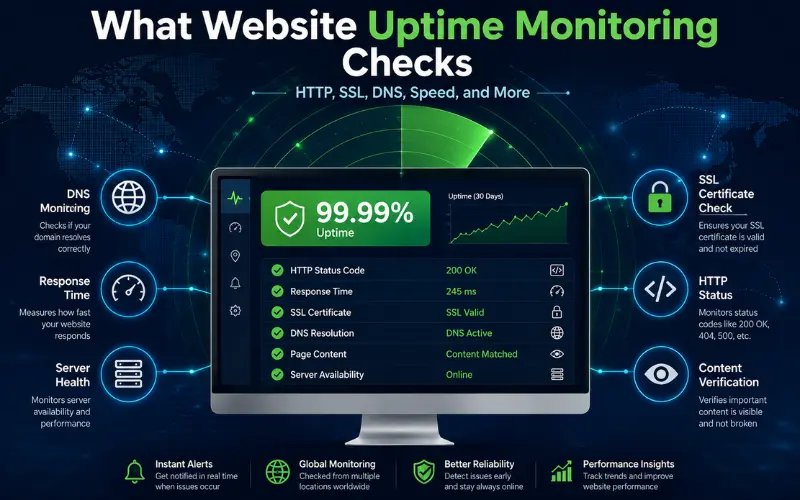
Modern uptime tools do much more than simple ping checks.
HTTP Status Codes
Detects errors like:
- 500 Internal Server Error
- 503 Service Unavailable
- 404 Not Found
Response Time
Measures how quickly pages load.
SSL Certificate Validity
Warns before certificates expire.
DNS Resolution
Ensures your domain resolves correctly.
Content Verification
Checks whether key text appears on the page.
Multi-Location Testing
Confirms downtime from several regions before sending alerts.
Website Uptime Monitoring vs Real User Monitoring
Synthetic Monitoring
Simulates visits from automated bots at scheduled intervals.
Real User Monitoring (RUM)
- Collects data from actual visitors.
- The best strategy combines both methods.
Key Metrics to Monitor
Track more than whether the site is simply online.
Uptime Percentage
Your overall reliability score.
Downtime Duration
How long outages last.
Response Time
How quickly pages load.
Time to First Byte (TTFB)
How fast the server begins responding.
Error Rate
Percentage of failed requests.
SSL Expiration Days
Time remaining before certificate renewal.
Understanding Uptime Percentages
| Uptime | Monthly Downtime | Annual Downtime |
|---|---|---|
| 99% | 7h 18m | 3d 15h |
| 99.9% | 43m 50s | 8h 46m |
| 99.99% | 4m 23s | 52m 36s |
| 99.999% | 26s | 5m 15s |
What Is a Good Uptime Target?
- Personal blog: 99.5%+
- Business website: 99.9%+
- Ecommerce store: 99.95%+
- SaaS platform: 99.99%+
Best Website Uptime Monitoring Tools
Here are some of the most popular solutions.
UptimeRobot
Popular free plan and beginner-friendly setup.
Pingdom
Detailed performance insights and global testing.
Better Stack
Combines uptime monitoring with incident management.
StatusCake
Includes server and page speed monitoring.
Datadog
Advanced monitoring for enterprises.
Oh Dear
Monitors uptime, SSL, broken links, and SEO issues.
How to Set Up Website Uptime Monitoring
You can start in just a few minutes.
Step 1: Choose a Monitoring Tool
Select a service that fits your budget and needs.
Step 2: Add Your URL
Enter your website address.
Step 3: Set Check Frequency
Use 1-minute checks for critical websites.
Step 4: Configure Alert Channels
Enable email, SMS, or Slack notifications.
Step 5: Add Content Checks
Verify important text like “Add to Cart.”
Step 6: Test Notifications
Trigger a test alert to ensure delivery.
Step 7: Review Reports
Monitor uptime and response trends.
Recommended Monitoring Frequency
| Website Type | Check Interval |
|---|---|
| Ecommerce | 1 minute |
| SaaS | 1 minute |
| Business website | 5 minutes |
| Blog | 15 minutes |
Best Practices for Website Uptime Monitoringc
Monitor from Multiple Locations
Avoid false positives and detect regional outages.
Set Escalation Rules
Notify the right people automatically.
Monitor Critical Pages
Check login, checkout, and contact forms.
Enable SSL and Domain Alerts
Prevent expiration-related outages.
Maintain a Public Status Page
Keep users informed during incidents.
Track Historical Trends
Identify recurring issues.
How Website Uptime Monitoring Helps SEO
Search engines prioritize websites that are consistently accessible and fast.
Monitoring helps by:
- Detecting outages quickly
- Reducing crawl errors
- Improving Core Web Vitals
- Maintaining user trust
A reliable website supports stronger rankings over time.
How Much Downtime Can Cost
Downtime costs vary depending on your business.
Examples include:
- Lost sales
- Ad spend waste
- Support costs
- Refunds and SLA credits
- Brand damage
Even a short outage during peak traffic can be expensive.
Free vs Paid Uptime Monitoring Tools
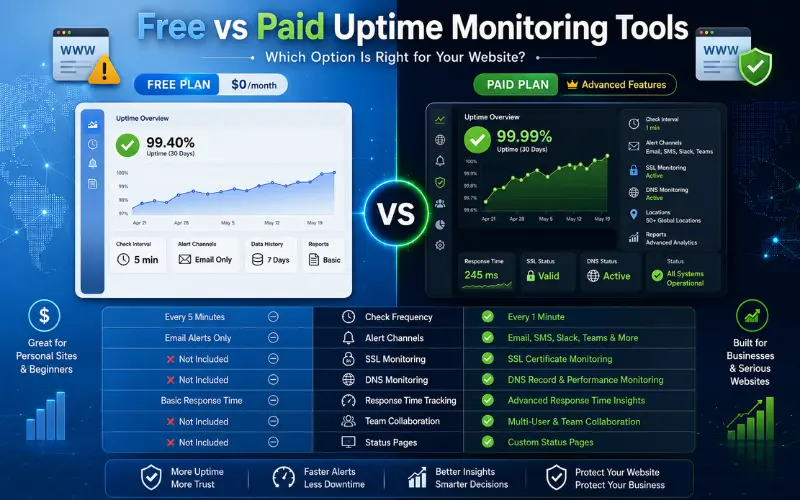
Free Tools
Good for small sites and basic alerting.
Paid Tools
- Offer faster checks, more integrations, and advanced diagnostics.
- If your website generates revenue, a paid tool is usually worth the investment.
Who Needs Website Uptime Monitoring?
Uptime monitoring is essential for:
- Ecommerce stores
- SaaS companies
- Agencies
- Membership sites
- News websites
- Online course platforms
- Corporate websites
If your website matters to your business, you need monitoring.
Frequently Asked Questions
What is website uptime monitoring?
It is an automated system that checks whether your website is online and alerts you if it goes down.
What is considered good website uptime?
For most businesses, 99.9% or higher is a strong target.
How often should uptime checks run?
Mission-critical websites should be checked every minute.
Can uptime monitoring detect slow websites?
Yes. Most tools track response time and alert when pages become slow.
Does uptime monitoring affect performance?
No. Monitoring requests are lightweight and have minimal impact.
What is the best free uptime monitoring tool?
UptimeRobot is one of the most popular free options.
Final Thoughts
Website uptime monitoring is one of the simplest ways to protect your website, revenue, and reputation.
It gives you instant visibility into outages, performance issues, SSL expirations, and other problems that can disrupt your business.
Whether you run a blog, online store, or SaaS platform, monitoring ensures you know about issues before your users do.
The sooner you set up website uptime monitoring, the faster you can reduce downtime and deliver a better experience for every visitor.