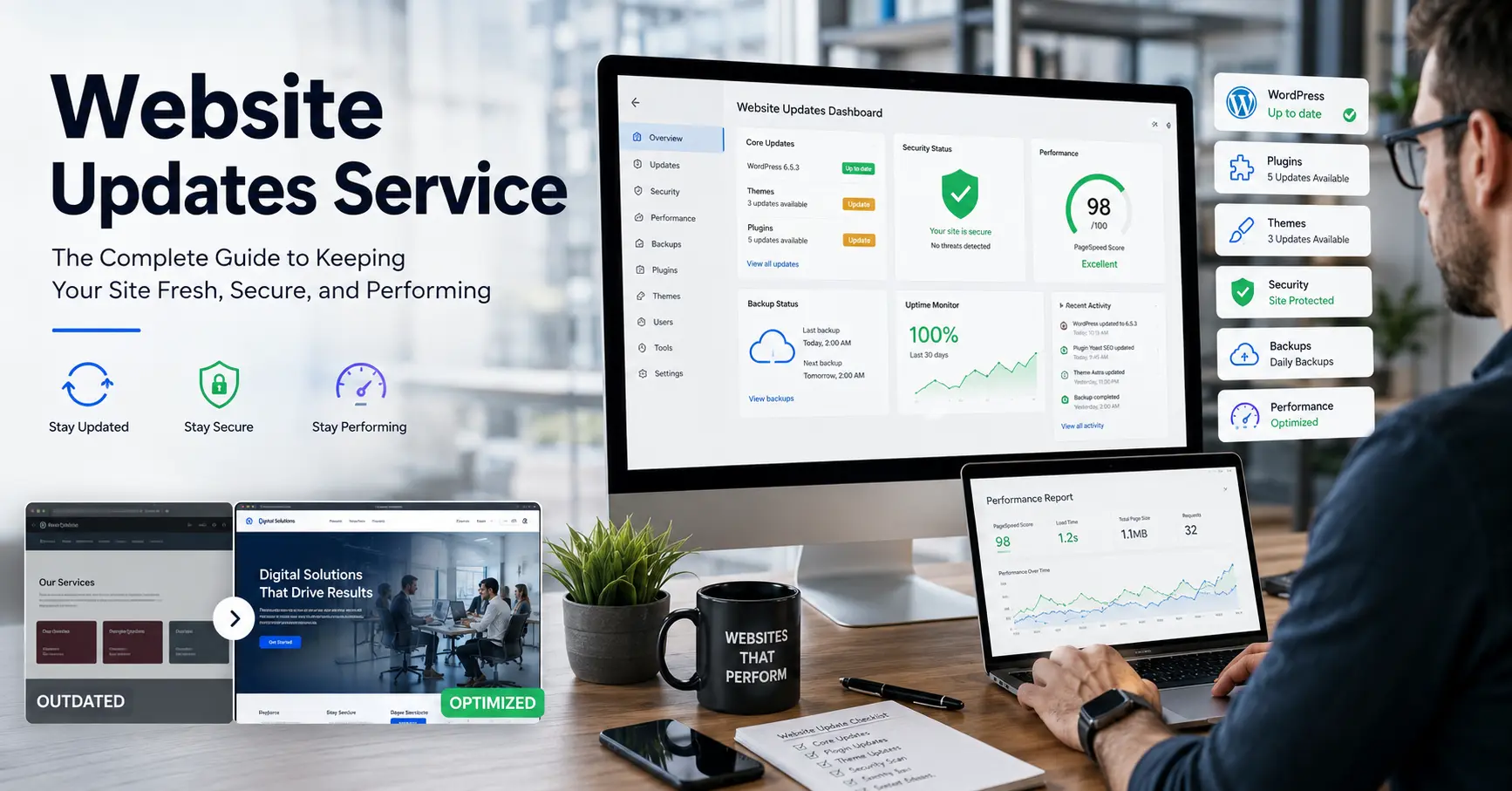
Your website is your most hardworking employee — it never clocks out, never calls in sick, and greets every potential customer 24 hours a day. But like any asset that works that hard, it needs regular maintenance to stay in peak condition.
A Website Updates Service takes that burden off your plate. Instead of scrambling to fix a broken plugin, update outdated content, or patch a security vulnerability yourself, you hand the job to professionals who handle it on a scheduled, reliable basis.
In this guide, we’ll cover exactly what website update services include, why neglecting them costs far more than paying for them, what to look for in a provider, and how to tell if what you’re currently using is actually working.
What Is a Website Updates Service?
A website updates service is an ongoing maintenance package — usually monthly or retainer-based — in which a team or tool monitors, updates, and improves your website on your behalf.
Depending on the provider, this can mean:
- Content updates: Changing text, images, pricing, team bios, product listings, blog posts, or any copy on your site.
- Security patching: Applying CMS updates (WordPress, Joomla, Drupal), plugin patches, and SSL certificate renewals before vulnerabilities are exploited.
- Performance optimization: Compressing images, clearing caches, minifying scripts, and improving Core Web Vitals scores.
- Uptime monitoring: Getting alerted the moment your site goes down, so issues are addressed within minutes rather than hours.
- Visual change monitoring: Detecting when content on a page changes — useful for competitive intelligence or catching accidental edits.
- Backup management: Automatic daily or weekly backups with verified restore points.
- Broken link and error fixes: Scanning for 404 errors, redirects, and broken internal links that hurt SEO and user experience.
- Plugin and theme updates: Keeping third-party tools updated without introducing compatibility conflicts.
Some services are fully human-managed (a dedicated developer or agency), others are software-driven (automated monitoring and alerting tools), and the best ones combine both.
Why Website Maintenance Is Not Optional
This is the part most guides skim. Let’s be direct about the real cost of neglecting your site.
Security Risks Are Immediate and Severe
According to Sucuri’s annual hacked website report, over 60% of compromised WordPress sites were running outdated software at the time of infection. Hackers don’t target your site personally — they run automated scripts that scan millions of sites for known vulnerabilities in outdated plugins and themes.
A single breach can:
- Take your site offline for days
- Expose customer data (triggering GDPR/CCPA liability)
- Blacklist your domain in Google Search
- Destroy trust that took years to build
Paying for a monthly maintenance service is cheap insurance against all of the above.
Google Rewards Fresh, Healthy Sites
Search engines crawl your site regularly. When they find outdated content, broken links, slow page load times, or poor Core Web Vitals, they rank you lower. A website updates service directly improves your SEO by keeping the technical foundation clean and the content current.
First Impressions Have a 0.05-Second Window
Research from Google found that users form a visual opinion of your website in as little as 50 milliseconds. Outdated design, old copyright years in the footer, or broken images signal to visitors that your business isn’t paying attention — and they’ll leave before reading a word.
Downtime Is Lost Revenue
For e-commerce businesses, even a 1-hour outage during peak hours can mean thousands in lost sales. For service businesses, a contact form that’s been broken for two weeks means leads silently walked away. Uptime monitoring — a core feature of most website update services — catches these problems before they compound.
Types of Website Update Services: What’s Right for You?
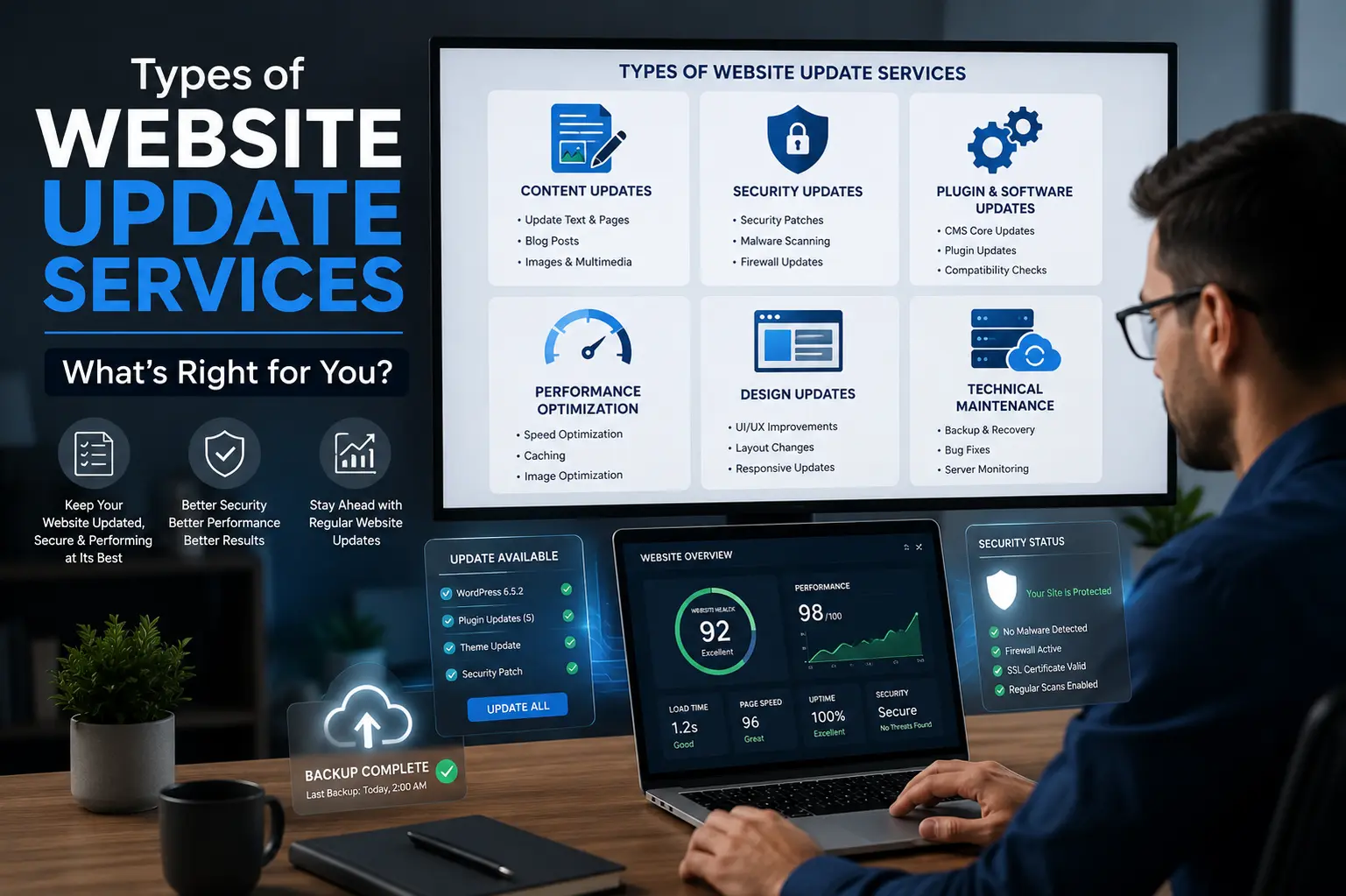
Not every service fits every business. Here’s how the main categories compare.
1. Managed Website Maintenance Agencies
Best for: Small to mid-sized businesses that want a human touch and a single point of contact.
An agency or freelance developer handles updates on request and on a scheduled basis. You submit a ticket or email when something needs changing, and it gets done — usually within 24–48 hours.
Pros: Personal relationship, flexible scope, can handle complex custom requests.
Cons: More expensive than tool-based options; turnaround isn’t instant.
What to look for: Clear SLA (Service Level Agreement), defined number of monthly update hours, transparent pricing, and a portfolio of existing clients.
2. Automated Monitoring Tools
Best for: Businesses that want visibility and alerting without full hands-on management.
Tools like UptimeRobot, Distill.io, Visualping, and ChangeTower don’t update your site — they watch it. They alert you when:
- Your site goes down
- A page’s content changes (useful for catching defacements or accidental edits)
- A specific element you’re tracking is modified
Pros: Affordable, runs 24/7, requires no human involvement once configured.
Cons: Alerts you to problems but doesn’t fix them. You still need a developer or agency for actual changes.
Best use case: Use these tools alongside a managed service, not instead of one.
3. Hosting-Bundled Maintenance
Best for: Simple brochure sites with minimal dynamic content.
Some hosting providers include basic WordPress core and plugin updates as part of premium plans (WP Engine, Kinsta, Flywheel). This covers the technical backend but rarely includes content updates or design changes.
Pros: Convenient, often included in existing costs.
Cons: Limited scope; no help with content or custom development.
4. Website Care Plans from Freelancers
Best for: Budget-conscious small businesses with straightforward update needs.
Many freelance WordPress and web developers offer monthly care plans ranging from $50–$300/month. These typically include software updates, backups, and a set number of content change requests per month.
Pros: Cost-effective, personal service.
Cons: Availability risk — if your freelancer gets sick or moves on, you’re left without support. Always ensure your site access credentials are held by you, not only them.
What Should a Website Updates Service Actually Include? (The Checklist)
Before signing with any provider, make sure these items are covered or clearly excluded:
Core Technical Maintenance
- CMS core updates (WordPress, Drupal, etc.)
- Plugin and theme updates (with compatibility testing before applying)
- PHP / server environment updates
- SSL certificate renewal monitoring
- Daily or weekly automated backups with offsite storage
- Verified backup restoration process
Monitoring & Security
- Uptime monitoring (ideally checks every 1–5 minutes)
- Malware scanning and removal
- Security hardening (firewall rules, login protection, two-factor auth)
- Visual change monitoring for key pages
- Google Search Console error monitoring
Content & SEO
- Text, image, and content change requests
- Broken link scanning and fixing
- Redirect management
- Basic on-page SEO maintenance (title tags, meta descriptions, alt text)
- Google Analytics / Search Console health checks
Reporting
- Monthly maintenance report detailing what was done
- Uptime report
- Performance benchmarks (page speed scores before/after)
If a provider can’t clearly explain what they do and don’t include, that’s a red flag.
Red Flags to Watch for When Choosing a Provider
The website maintenance space has its share of providers who charge monthly fees but do very little. Here’s how to vet them.
They can’t show you a sample report. Legitimate services produce monthly reports. If they can’t share an anonymized example, ask yourself what they’re actually tracking.
“Unlimited updates” with no defined scope. This sounds appealing but often means low-priority tickets sit in a queue for weeks. Ask: what’s the actual turnaround time on a simple content change?
No contract or clear cancellation terms. Month-to-month flexibility is fine, but you need to know who owns what when you leave — particularly your domain, hosting credentials, and backup files.
They don’t perform updates in a staging environment. Applying plugin updates directly to a live site without testing first is how sites break. A serious provider will stage updates, test them, then push to production.
They don’t ask about your goals. A good maintenance partner understands that your site exists to generate leads or sales. They should at minimum ask what KPIs matter to you.
How Much Does a Website Updates Service Cost?
Here’s an honest breakdown of the current market:
| Service Level | Monthly Cost | What You Get |
|---|---|---|
| Basic Monitoring Only (Automated Tools) | $0–$25 | Uptime alerts, change detection, no human intervention |
| Hosting-Bundled Maintenance | Included or $20–$50/month add-on | Core updates, plugin updates, backups only |
| Entry-Level Care Plan (Freelancer) | $50–$150/month | Backups, updates, 1–2 content change requests per month |
| Mid-Tier Agency Plan | $150–$500/month | Full technical maintenance, content changes, monthly reports, faster turnaround |
| Premium/Enterprise Plan | $500–$2,000+/month | Dedicated support, priority turnaround, performance optimization, SEO maintenance |
For most small-to-medium businesses, the $150–$400/month range provides the best balance of coverage and cost. Compare this against the $5,000–$20,000+ average cost of recovering from a single security breach, and the ROI calculus is straightforward.
Google Alerts vs. Dedicated Monitoring: Knowing the Difference
Google Alerts is a free tool that notifies you when new content appears online mentioning a keyword — useful for brand monitoring and keeping tabs on competitors. It does not monitor your own website’s uptime, security, or visual changes.
For actual website monitoring, you need dedicated tools:
- UptimeRobot — Free tier monitors up to 50 sites at 5-minute intervals. Paid plans check every 60 seconds.
- Visualping — Screenshots your pages at intervals and flags visual differences. Excellent for catching defacements or verifying that scheduled content changes went live correctly.
- ChangeTower — Similar to Visualping; also monitors specific HTML elements or text snippets.
- Distill.io — Browser-based monitoring that can track dynamic content and requires no installation.
These tools work best as the alert layer of a broader maintenance strategy — they tell you something changed or broke, but you still need humans or an agency to respond.
DIY vs. Hiring a Service: An Honest Assessment
Many business owners wonder: can’t I just do this myself?
Here’s the honest answer: Yes, technically. But should you? Rarely.
The DIY case works if:
- You have a developer background or genuine comfort with your CMS
- Your site is simple (5–10 pages, no e-commerce, no custom functionality)
- You have a reliable system for reminders (update checks, backup verification, broken link scans)
- You’re not billing your time at over $50/hour
The DIY case breaks down when:
- A plugin update breaks a page and you don’t know how to roll back
- You forget to renew SSL and Google marks your site as “Not Secure”
- You’re running a WooCommerce store or a site with transactions
- Your time has real opportunity cost — every hour fixing website issues is an hour not spent on your actual business
For most business owners, outsourcing maintenance to a professional is a clear win on time, risk, and outcomes.
Questions to Ask Before Signing a Website Maintenance Contract
- What CMS platforms do you specialize in? (You want WordPress specialists if you’re on WordPress — not generalists.)
- How do you handle plugin conflicts after an update? (They should have a testing and rollback process.)
- Where are backups stored, and how often are restores tested? (Offsite is mandatory; “we back up but have never tested restoring” is a red flag.)
- What is your response time for urgent issues like site downtime?
- Do I retain full ownership of my domain, hosting, and site files? (Non-negotiable — you must always own your own assets.)
- What does your monthly report look like? (Ask for a sample.)
- How do I submit content change requests? (Email, ticketing system, Slack — make sure it fits your workflow.)
- What is NOT included in this plan? (Knowing the scope limits is as important as knowing what’s covered.)
The Hidden Cost Nobody Talks About: Compounding Neglect

Here’s something most website maintenance guides don’t address: deferred maintenance compounds.
If you skip plugin updates for three months, you may have 15–20 updates waiting. Applying 20 updates simultaneously to a live site without testing is far more likely to cause a conflict than applying them incrementally. What would have taken 20 minutes of careful maintenance becomes a half-day emergency.
The same principle applies to content: a site that hasn’t been touched in 18 months doesn’t just need a few updates — it may need a full audit. Pricing tables are wrong. Team members have left. Services have changed. Blog posts reference offers that no longer exist.
Consistent, small maintenance is dramatically less expensive and risky than periodic emergency overhauls.
Key Takeaways
- A website updates service handles the technical, security, and content maintenance your site needs to stay healthy, secure, and ranking.
- Automated tools (UptimeRobot, Visualping, Distill.io, ChangeTower) are monitoring solutions — they alert you but don’t fix problems.
- Managed services from agencies or freelancers provide the actual human work of implementing updates.
- The right service level depends on your site’s complexity, your risk tolerance, and the value of your time.
- Always retain ownership of your domain, hosting, and files — regardless of who manages them.
- Consistent, scheduled maintenance is always cheaper than emergency recovery.
Frequently Asked Questions
What is a website updates service?
A website updates service is an ongoing maintenance solution that keeps your website secure, functional, and up to date. It typically includes software updates, backups, security monitoring, content changes, performance optimization, and technical support.
Why are regular website updates important?
Regular updates help protect your site from security vulnerabilities, improve performance, prevent downtime, and ensure visitors have a positive experience. They also support better search engine rankings by keeping your website healthy and current.
How often should a website be updated?
Most websites should receive maintenance checks at least weekly, while security patches and critical updates should be applied as soon as they become available. Content updates depend on your business needs, but monthly reviews are recommended.
What happens if I don’t update my website?
Neglecting updates can lead to security breaches, broken functionality, slower loading speeds, poor user experience, lower search rankings, and compatibility issues with plugins, themes, or browsers.
Does website maintenance include content updates?
Many website maintenance plans include content updates such as changing text, images, pricing information, team member profiles, blog posts, and product details. The amount of content work included varies by provider.
Are backups included in a website updates service?
Most professional website maintenance providers include regular backups. These backups allow your website to be restored quickly if an update fails, data is lost, or a security incident occurs.
What’s the difference between website monitoring and website maintenance?
Website monitoring tools alert you when your website experiences downtime, performance issues, or content changes. Website maintenance goes further by actually fixing problems, applying updates, and managing your site’s ongoing health.
How much does a website updates service cost?
Costs vary depending on the level of support. Basic monitoring tools may be free or cost less than $25 per month, while professional maintenance plans typically range from $50 to $500+ per month depending on the scope of services.
Can I manage website updates myself?
Yes, if you have technical knowledge and enough time. However, many business owners prefer outsourcing maintenance because it reduces risk, saves time, and ensures updates are handled correctly without disrupting the website.
What should I look for in a website updates provider?
Look for a provider that offers regular backups, security monitoring, uptime tracking, clear reporting, fast response times, content update support, and transparent pricing. It’s also important to confirm that you retain ownership of your website, domain, and hosting accounts.
Do website updates help with SEO?
Yes. Regular maintenance can improve SEO by fixing broken links, improving page speed, updating outdated content, maintaining Core Web Vitals, and ensuring search engines can crawl your site without encountering technical issues.
How quickly should urgent website issues be resolved?
Response times vary by provider, but reputable maintenance services typically address critical issues such as downtime, security incidents, or broken functionality within a few hours or less, depending on the service agreement.
Conclusion
Your website doesn’t maintain itself. Every day without proper maintenance is a day your site accumulates security risk, SEO debt, and the quiet kind of decay that visitors notice before you do.
Whether you choose an automated monitoring tool to add visibility, a freelance care plan for basic coverage, or a full-service agency for comprehensive support, the right website updates service pays for itself many times over — in security, in search rankings, in leads that don’t bounce, and in the hours you get back to focus on running your business.
Website Uptime Monitoring: What It Is and Why It Matters
Website Maintenance Plan Complete Guide and Checklist
Website Performance Monitoring Guide for Speed and SEO